
Germany, here I come!
Cart and I are going to Cologne, Germany in about two weeks time for the Via Lux anomaly and we’re slowly getting ready for it – the plane tickets bought, our Airbnb apartment booked and I’m even thinking of making some stickers to give out.

Aren’t these cute? They are kind of expensive though at 46 euro for 156 pieces considering that they are quite small at 3.8 cm each. But if they turn out well, I might make more.
I’m looking forward to this trip. There are plenty of things to be seen – museums and architectures and I’ve read that there is even a chocolate museum there.
But you know what I’d really want to see? A trip to their supermarkets. Yes, it sounds a little anticlimactic but I’ve always been curious ever since I’ve watched a video documenting how the goods there are cheaper compared to the ones in Italy. So that’ll be something interesting to compare.
Plus I’d like to visit at least one vegan joint there. I was looking through happycow the other day, and there is this vegan burger place which (I think) isn’t too far away from our accomodation.

I don’t speak German, this will be interesting experience
If I had more time, I’d love to see things at a slower pace. But after my experiences, I have to be pragmatic. That’s the biggest issue with doing an anomaly – you’re so busy trying to orient yourself in a new country, then you move all around the city by foot, your eyes are on the scanner for most of the day and you get so exhausted you just want to faint but when the next day comes, you’d have to rush to do the mission banner and then it’s time to fly back home.

Something better than nothing! Maybe I can take this experience as a recce? And maybe one day I’ll even try to travel alone.
The NL1331 comes to Rome!
The NL-1331 van arrived in Rome yesterday for their first European tour. If you happen to be in the same area as one, you could get some free swag (normally a card with codes for your Ingress inventory) and you could also purchase the Van badge and kits if you wanted.
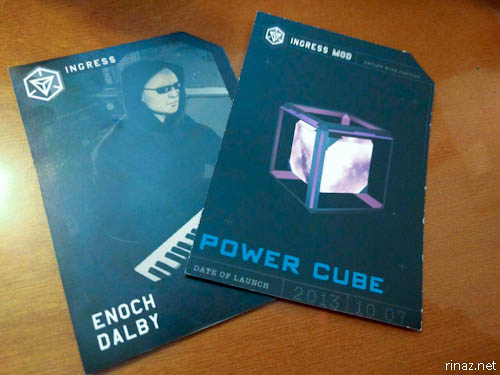
These are the swag we got
I would have liked the Van badge, unfortunately it was all sold out two days before the event. Oh well.
The event was held in Eur, near the ‘Square Colosseum’.

Cart and I reached there slightly earlier than the stipulated time but there were already so many people there – both the Resistance and the Enlightened.
I was nice to catch up with some friends, some of which I haven’t met for a long time, like Aldo and Smyx who both transferred out of Rome for work.
Eventually the van drove up. It was so easy to spot out – being all black with large white and silver decals around it. It was smaller than what I thought it would be though.

As I knew that there were going to be loads of people, I took a bit more effort to look nice as I expected that there would be a lot of photo taking.

And I had all the intention to take a lot of photos and selfies with friends – you know how some people take an effort to catch Pokemon? I wanted to try to catch as many agents as I could on my phone.
Unfortunately with a cross faction event, and with the density of the portals here, as soon as I opened my scanner, I was in ‘face deploy’ mode – putting in resonators when the portals are blue or shooting it when green. Boy, do I have a problem! :p
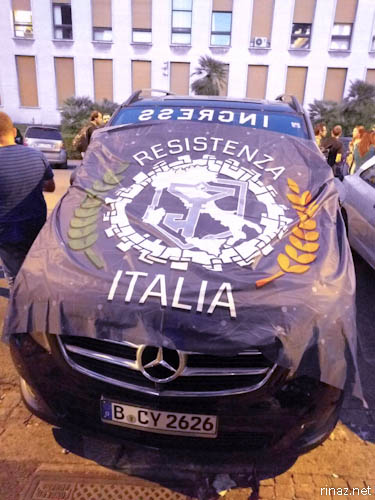
After everything has calmed down a little, was when I noticed that there was a new portal that didn’t exist before :
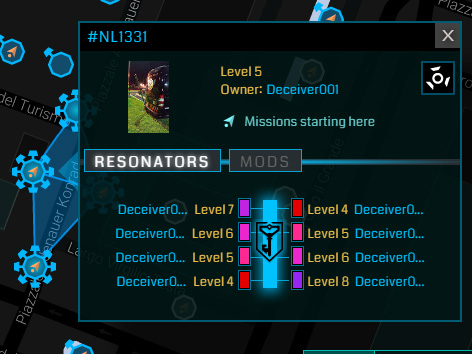
I’m not sure how long this portal will last but I don’t believe that it will be a permanent one. It took a bit of hacking but at length, I managed to get a key as a souvenir. But looking at the first picture made me glad that I did.

I am very amused.
Quick thoughts on the Nexus 6P
Oh my, Cart gave me a Nexus 6P as a birthday present which was a very kind gesture of him.

My older phone, the Nexus 5 is still functioning fine for me, but being two years old now is slowly starting to get sluggish, so it’s nice to have a new upgrade. I still like my Nexus 5 though, among all the phones that I’ve owned, I think that it’s one of the most attractive.

(Here are the Nexus 6P, Nexus 5 and Galaxy Nexus side by side. You can tell by now that I really like Google Phones)
Anyway, I’ve been using the phone for a couple of days now and here are my first impressions.
Design
I find the white stripes around the corners of the phone strange.I thought that it was a protective strip but then I realised that it was part of the design.

Nevertheless, the aluminium back makes it look premium (hence the name 6P) but the black front makes it look indistinguishable to any other device. I would have liked the gold one, but seems that it is only available in Japan, India and in the USA.
Dimension
It’s a big phone. Huge! Technically, I can’t even call it a regular phone but a phablet because of it’s 5.7 inches display. it. Watching Netflix is amazing now!

(If you’re wondering what to watch, Bojack Horseman, Stranger Things and Atelier are amazing!)
As a sidenote, you know how we used to laugh at people with those huge 80s brick phones? Look at who’s laughing now as more and more people go around making calls on their tablets.

Besides, I very rarely make calls on the phone since the birth of social media.
Display
I don’t know if it’s just me, but I find the screen colour very saturated. I don’t know if this is because it of the AMOLED or if it is something that I could adjust, but my screen looks perpetually +20 Saturation. This is something I’d just have to get used to.

My Nexus 6P is slightly bigger than Cart’s One Plus 3
The resolution is also bigger, I can fit 5 apps in a row instead of 4. I can put in more apps and widgets! But being this size, has a slight disadvantage. I glyph slightly slower now because of the bigger estate.
Weight
Of course, being of this size, it’s significantly heavier than my previous phone. I dare not take it out for jogging for fear of damaging it. You know how heavier things break more easily? Besides, I don’t think that it fits any of my fitness pouches.
Transfer
The exchange of data from one phone to another was completely painless. Being out of the box, you’d need to update the software and apps, which could take a few hours but apart from that, the move was completely smooth.
The photo that I took the day before for example, was already in my new phone (through cloud backup) and I didn’t even have to retype in WiFi passwords of the places that I’ve been to, it remembers. Google can be quite scary.
Security

The Nexus 6P has a fingerprint unlock function which sounds like a cool idea in theory, but personally, I find it a hassle, because the sensor is at the back. Why not the front? I’d find it much more ergonomic that way.
Sim Card

(Relic from 2009)
As I’ve been using the old Sim Card all these while, it’s been cut so much that it can’t be shaved anymore. So I had to get my card completely replaced with a NanoSim. I find it interesting that I restart my phone, I don’t need to key in my PIN compared to the previous phones that I’ve used.
Audio
It’s loud! It’s so loud that I can watch shows and use Soundcloud without even needing to connect it to my Bluetooth speakers.
Charging
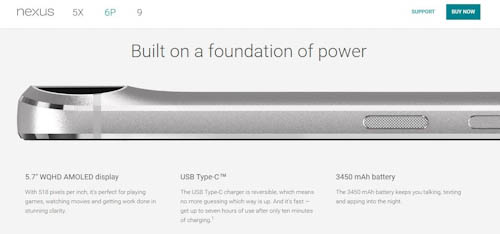
The Nexus 6P uses a type C charger. The box provides you with two cables – a long one for the wall charger and a short one which is compatible with a USB plug. The long one only works with the stock charger meaning that when I’m on the move, I can only use the short one for my portable battery. Or till I get new cables.

Cart’s One Plus 3 has a dash recharge, which claims that you’d get 7 hours of use on a 10 minute charge with it’s stock charger. I should have something similar. I haven’t done any tests so far, but charging does seem faster compared to when charging it on another charger.
Photos
As you know by now, I love taking pictures and sharing them online. The quality of the images I find much brighter and it takes a faster time capturing photos which is something I love and was something that I was starting to get a little frustrated with on the Nexus 5.
Here are some of the photos that I’ve snapped :


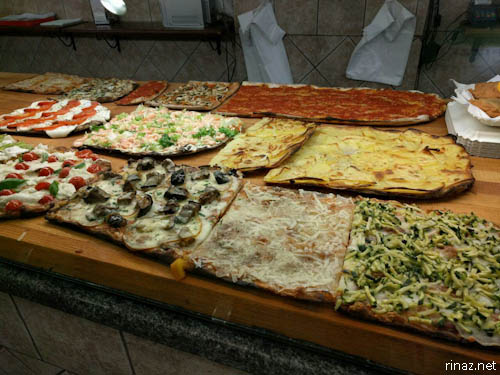

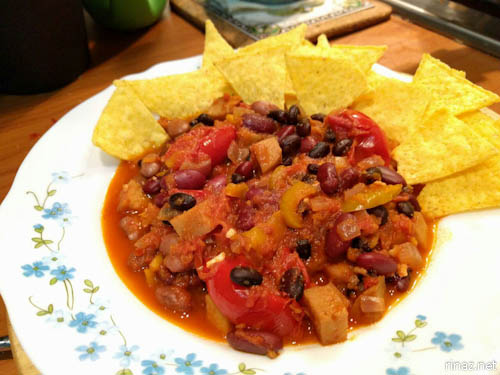
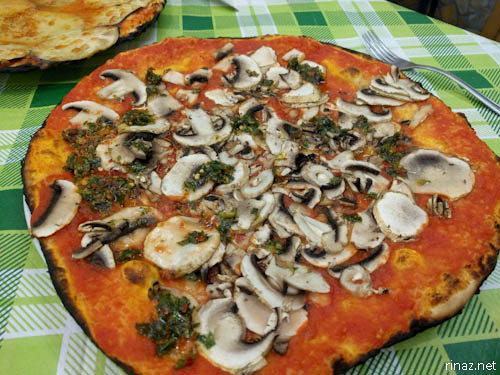

(Apart from being resized for the blog, the pictures were unedited)
Changes
Apart from the size, the biggest change I see is the lack of the Power Control Widget. I’ve always found this function useful as I could just change the brightness and GPS precision from one touch on the home screen. Why would Google take out this useful feature?
I know that I could a two finger swipe down but I find that encumbering.
Apart from that, I’ve been liking my new phone phablet a lot. Apps load significantly faster than my Nexus 5 and I’ve been enjoying my time with it. I haven’t been using it so much on the go though because I’m still a little bit paranoid about dropping it, so I’ll have to find new accessories to go with it such as a bike mount and a bumper case.

Thank you so much Cartcart for the extremely generous and thoughtful gift :3
Why Ingress is better than Pokemon Go
The latest craze descending on us is Pokemon go.
It’s funny to think that a couple of years ago, Google did an April Fool Joke based on this, but it actually came to fruition to become an profoundly popular game.
This is a game where you channel your inner trainer and use the GPS on your phone to catch as many Pokemons as you can. Once you reach level 5, you could choose a team and train your Pokemons for battle if you like.
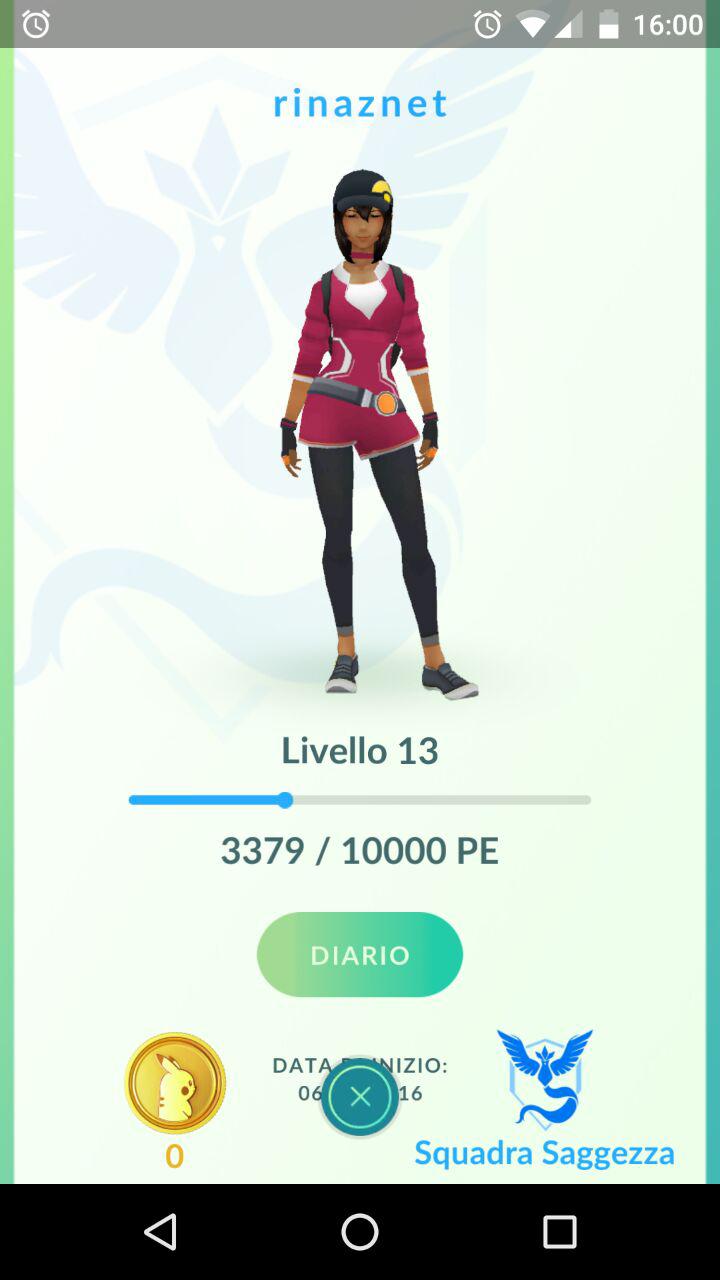
Here I am!
As it is created by Niantic Labs, the game is similar to Ingress. Each Pokestop and Gym is always an Ingress Portal. You’ll have to move around to be able to interact with the Pokestops and for the Pokemon to appear.

I’ve been playing the game for a couple of weeks now and while the game can be quite enjoyable, I think it’s just not for me.
I mean there are some benefits, health-wise for example, as you get motivated to walk around to hatch an egg in anticipation of what creature will pop out. And the game is cheerful – I like the colourful interface and there are so many adorable Pokemons to collect.
But once you’ve gone past that, the cons for me outweighs the pros.
1.Keeps crashing
It bugs me a lot when I manage to catch a Pokemon and then the screen hangs. Or when the app closes by itself as soon as I start it up. Pokemon makes me rage so much that I’m tempted to throw my phone.

That is if you could start it up at all. I had a lot of server problems when I started playing, but it seems to be easing in at the moment.

2. Sucks up a lot of data and battery
If you think that Ingress uses a lot of data and battery, wait till you start playing Pokemon Go. It’s not uncommon to use up to 200 MB in a day. That’s something annoying I’d have to be careful not to go beyond the limit. My mobile service provider tends to sneakily take credits and I’d only realise when it’s too late.

Personally, I don’t have an issue about running out of juice as I always carry my Anker with me, but I’d have to charge them at the end of the day when I play Pokemon Go instead of every other day.
3. A different culture
There are a lot of children (as well as the young at heart) playing this game, making the dynamics different. There’s a lot of rushing around, a lot of frenzy …
As soon as you see an Esca Module appearing on a pokestop, you’ll see tens of people immediately appearing out of nowhere. Yes, even in Rome. I’m not kidding you. It’s quite scary to see all these people conglomerating around in such a short time.
While Ingress can be quite wild especially when you’re trying to win the check point for your faction, it’s usually done in a more cultured manner. You don’t see agents stampeding into a remote area to capture a portal … we do it more, stealthily.
4. Unsafe
It’s not safe for playing both Ingress and Pokemon Go while you’re on the driving. It’s not easy to stay focused on the road and still be able to play. Which is why I never play Ingress while I’m driving.
But unlike Ingress when the portals are static, the critters could suddenly pop out. Sometimes you’d feel compelled to throw your Pokeball and that’s when you stop being aware of your real life surroundings.

Even when you’re on foot, there could be a chance that you’d get beaten up, robbed, or even run down by vehicles. Yikes!
5. No finesse
Perhaps I haven’t delved deep in enough. I guess there is the challenge of fighting in the gym, but as far as I’ve experienced Pokemon Go is basically just move around, Touch the Pokestops, catch Pokemons, level up – wash, rinse, repeat.
After a while, it would get repetitive and boring. You can’t even socialise with anyone in-game.

I try to walk away and I stumble
Ingress on the other hand, needs a bit more brain power as you think about which limited mods and resonators to use and the search for the right portals for linking and fielding, Ingress becomes a lot more fun when you play in a group as you try to reach the same end target together.
But regardless of what’s been said, Ingress has been around for almost four years and is starting to stagnate. Pokemon Go has a tremendous popularity since it’s release – probably because of the simplicity. As it’s still a relatively new game, it’ll probably evolve with time and but I’m sure that it’s a game to stay. At least for four years.
I survived the Obsidian Anomaly in Vienna
Last weekend Cart and I were in Vienna and it had been an unforgettable experience of my life.

We were there mainly for the Obsidian anomaly – a large scale cross-faction event for the GPS based game, Ingress. Vienna was a primary site, which means that more points were awarded to agents playing in this area.
While Cart and I have been to a couple of anomalies, like the one in Florence and Milan, this has been a different type of anomaly for me personally as it was a flash shard and it was also my first time on being a Team Leader.

(Picture by MyZap)
So far while it was challenging, it was something that I wanted to experience and I was blessed to have such an dynamic and responsible team that everything went smoother than I expected it to be. I love my team! Team Blueberry Pie!

Anyway, the day before our flight to Vienna was so busy. I had to teach in the afternoon and as soon as I reached home, Cart and I rushed off to get some last minute things ready – I wanted to collect my pins and patches and Cart wanted to give away some capsules so that he’ll have some pertinent space in his inventory. We then later had dinner in a place called Vitaminas 24 which I might blog about in the future.

In the morning, it was a flurry of activity with the packing and I don’t like leaving the house messy as I don’t want to reach home from a nice vacation to see an eyesore.

Once we were done, Cart didn’t want to risk being last to reach the airport, and decided to park the car at a place called Lunga Sosta. I don’t recommend it much as it appeared to cost 18 euro for 3 days, instead we were charged 54 euro when we picked the car up. It was such a shock when we got back from Vienna.

Eventually we met up with a group of some of the Resistenza Roma members and took a flight from Vueling, which is a low cost carrier based in Spain. While the interior reminds me a bit of Air Asia, having just recently rewatched Toy Story 3, I was extremely amused each time the flight information broadcasted. Anyhow have this in-flight song, which was very catchy.

It was a short two hour flight from Rome to Vienna, and the first thing that we did was to search for the mobile shop to pick up our SIM cards and then it was the challenge of getting to the train station to try to reach to our accomodations.
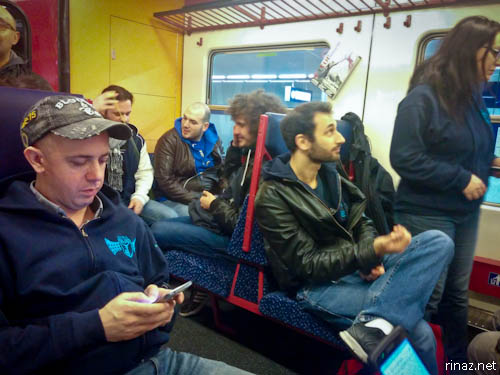
I say challenge because, German is the national language here, and a non native can get overwhelmed just looking at an innocuous sign like a metro line.
Luckily for me, the caretaker at our bed and breakfast had already explained to me on how to reach there – by taking the S7 line. While it’s slower as goes to each stops but it’s cheaper at around 2 euro.
Tip : It’s best to buy two tickets from the airport as it’s cheaper compared to buying a ticket one by one.
Cart and I stayed in an area called Praterstern and it’s an amazingly beautiful area by itself. Prater is best known for it’s giant (and probably the oldest) feris wheel in Vienna. It’s lovely just for going for a walk to and fro.

While it was Spring time, it got quite nippy when there is no sun, in the early morning and during the evening and I was regretting that I didn’t pack anything warmer than my pullover. I was too confident that the temperature would be the similar as it was in Rome. Serves me right!
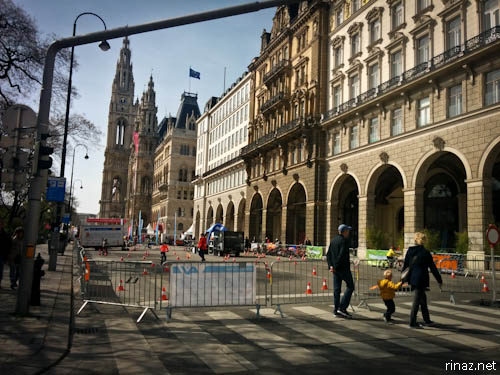
Nevertheless, thank goodness that the place where we stayed at was quite comfortable as you could see from this quick video I shot.
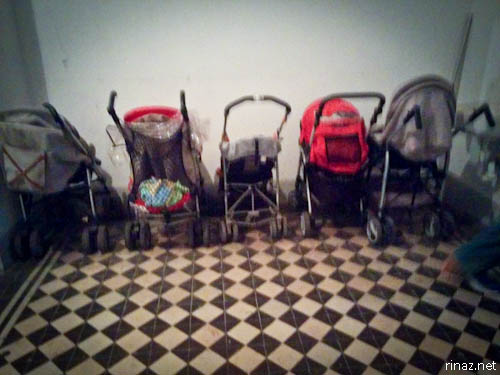
I find it quite interesting to see all these baby buggies lined up near the front entrance.
I was amazed when I found out in the morning that that your number two doesn’t drop down directly in the hole here in the toilets in Austria.

Sidenote : When you’re watching Netflix Austria, there is season 9 for Supernatural. In Italy it only goes all the way to 8. Another thing that I find amazing is that newspapers are sold like this.
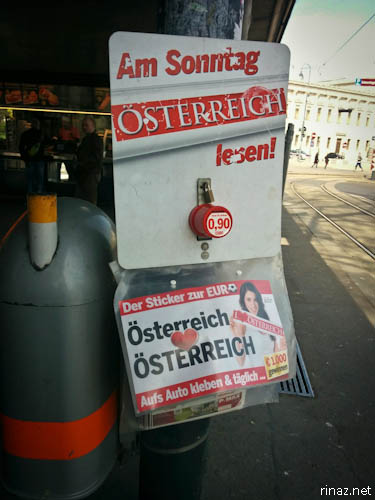
You can put your coins into the coin slot and take the newspaper from the plastic flap. People are so trusting that no one takes a paper without paying.
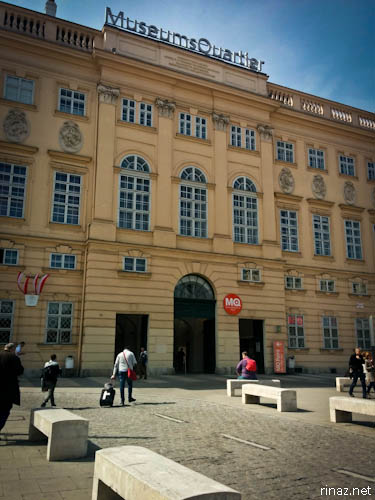
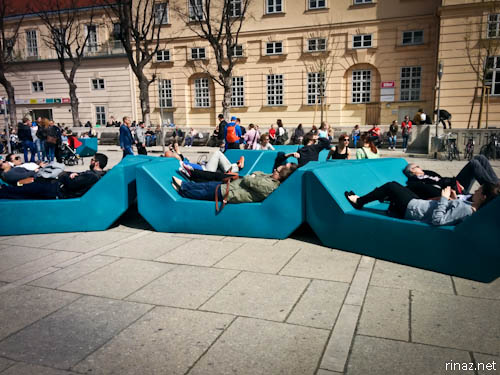
After we’ve left our stuff at the apartment, we headed to a place called Leopold Cafe which is near Museumsquartier for the registration point and get our packs – inside there was a medal card, a sticker, a wristband and a load out card.

After that, we went off to another area in another place for the Resistance pre-registration called East End. It’s not at all near the registration point, but I could understand why – so that we don’t risk too much in clashing with the opposite faction while we strategize and exchange items with each other.
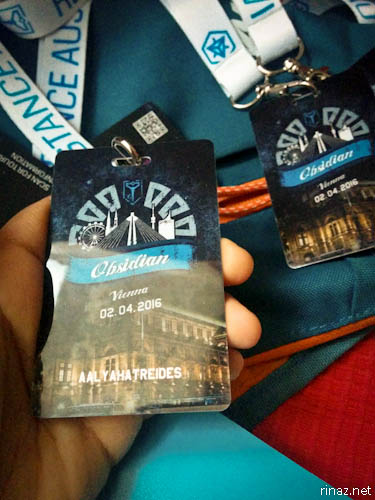
I finally got my Team Leader pack and met a couple of the organizers there. But by this time, I was feeling extremely hungry and couldn’t concentrate on anything else. It was already evening and we haven’t even had a proper lunch.


Thankfully there was a place nearby called Fly’s American Fifties Restaurant, which was an adorable looking place. While it was a regular burger place, I was relived to hear that they were open to tweaking the dish to make it vegan, so there was something for me to eat, which was nice.
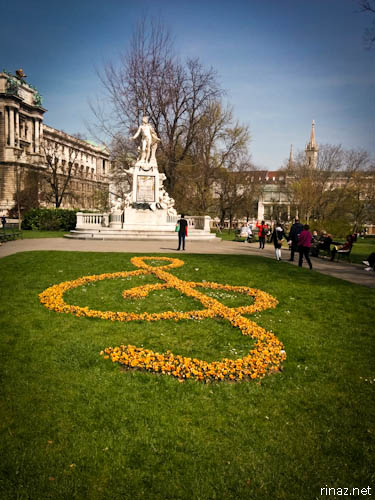
I didn’t manage to take a picture of my delicious burger as I was so hungry but it was awesome. I didn’t even manage to take a picture of the waiter, who had such a cute laugh.
After having my dinner, I met up with some of my team members, who were mostly based in Foligno, which is about 200 km away from Rome. It was the first time for me meeting them and they were friendly and were raring to go for tomorrow.

We also met up with our awesome local guide, Marlene, who decided to drop by to say hello to our team. We found out that she lived in the zone where our team was assigned to. If we needed anything, we could probably just hop over to her house.

The next day – anomaly day. I was feeling trepidation but I had to do the best I could. I was reading on the team leader chat to try to get some pertinent keys. So I got out earlier to try to farm them – Cart was just waking up and getting ready. I quickly popped by the nearby supermarket and had a quick breakfast of bananas and apple juice.

I looked at the label. The funny thing was, according to the packet, the apples were harvested in Italy?

As I walked towards the metro, I was amazed that I was going on my own. There were apps that makes travelling on public transportation a little bit easier, nevertheless, I need time to orient myself in a new country. Heck, it even took a while for me to get used to the public transportation in Rome.
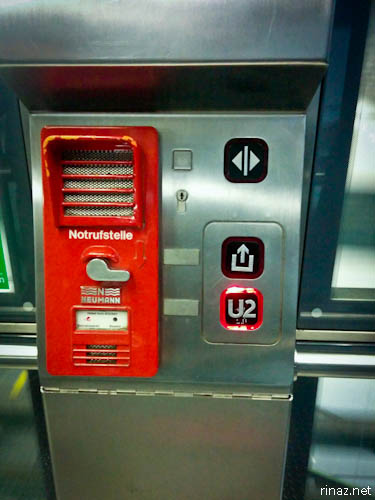
This is why I cannot join reality competitions such as the Amazing Race.


It was such a cold morning. So cold. I was shivering underneath my pullover. But as long as I kept moving, I should be fine. I headed to a place called Belvedere and my goodness, it’s gorgeous and completely lush.

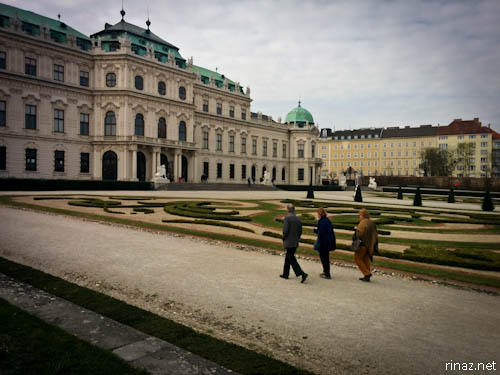
I wanted to get some more keys from other locations. Unfortunately, the district is quite big and takes time to reach. I had to meet up with the rest of my team members, so I decided to go directly to Marx Halle.
Everyone in my team was there and all ready – naituousn0329, LuPellox, LaMomo19, LuStargazer, frenksuperfly, Schioppaculi, Matteoz991, eternit, AalyahAtreides, Myzap and Elzap. Gosh, I was so nervous at leading but I just kept pushing on.
Look at what Marlene Niphinia did for us! What splendid muffins! She actually brought her baking equipment from out of town to make this for us!

And before you know it, it was time to move to our first portal. Like I’ve mentioned before, Vienna is a big place, and it took us slightly more than half an hour to reach there.
It was a park and we sat down on the benches and kept an eye on our portal while waiting for further instructions from the dispatcher.

I completely fell in love with my team as soon as they opened up their backpacks and took a cold one and started making sandwiches. It’s just too adorable.
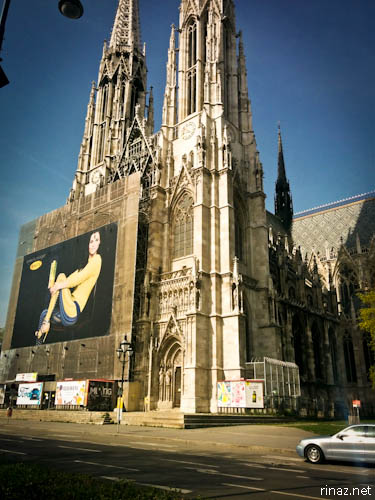
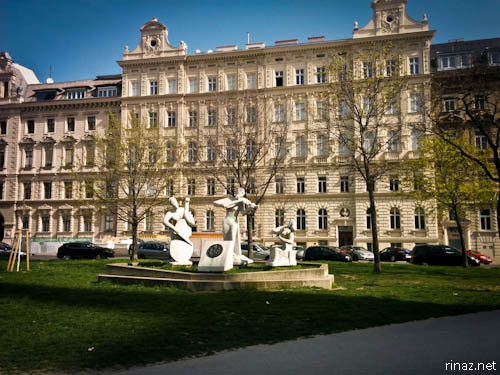
Compared to the previous anomalies, this anomaly was different as it was a Flash Shard. In the simplest term, shards are like soccer balls in which you need to put it in your respective target to score points.
To move the shards, the agent will have to link the portal to the target at the specific time window.


But of course in any anomaly when there are hundreds of people fighting against hundreds of people, the game play becomes frenzied. There will be agents defending, agents shooting the portals, agents blocking … and with so many people at one area, the game can be unplayable most times.

(Picture by MyZap)
Especially when we moved over to our 3rd and 4th portal where the shard was, there was a big crowd and you can see that the portal changing from green to blue in an instant. It was easy to use 100 xmp at a time. So we just had to keep calm as best as we can and kept on going.

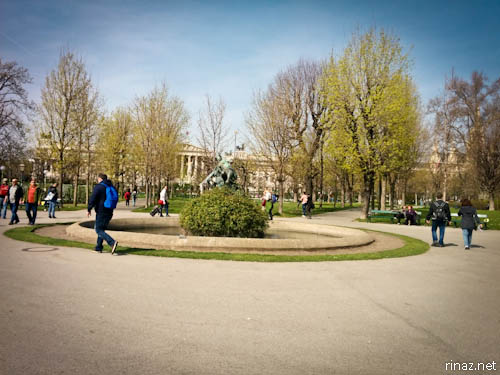
In being Team Leader, among all the responsibilities, my biggest priority was to keep my team together and safe. Even though it was important for us to move from one portal to another fast, I never wanted to lose any of my members at the back. So constantly kept an eye and glanced back and made sure there was always the 15 of us.

Unfortunately for me, I happened to be standing on a a bicycle lane. In Vienna, many people travel on bicycles and as soon as I looked to the front, there was a bicycle which hit me and I saw stars for several minutes. I slowly felt a swelling on my cheek. Luckily it wasn’t too serious and went down in time.
We finally reached the last portal for us to defend and defend it we did. In our excitement, we started talking loudly to each other, “DEPLOY! SHOOT! SHIELD! DON’T STOP! LINK!” And some of us ran over to stop some of the Enlightened agents from doing block links.
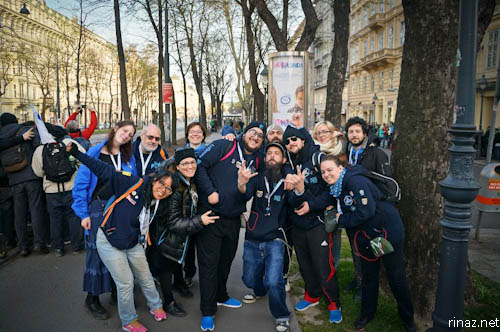
(Picture by Myzap)
Eventually, the time jump window ended and I was elated. It’s over finally! And I’m so proud of my team! We fought hard and I felt confident that we did great during the event. Just look at the amount of shards that the Resistance managed to put in the target.

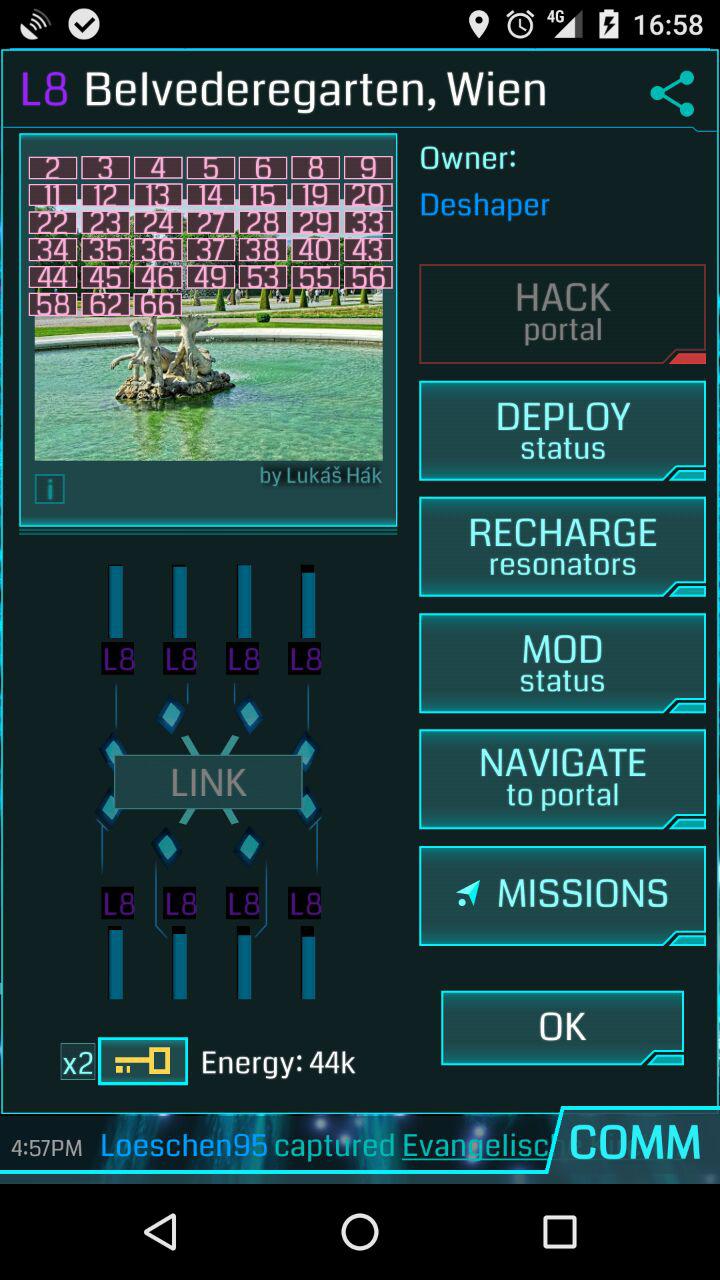
By this time, I started to feel an aching in my thighs all the travelling, and we slowly headed back to Prater to the Niantic After party. It felt so festive in there, with all the waving of the flags and the cheering. It was something that had to be experienced.
Eventually the Acolyte came up to the stage and announced the results. I was elated to hear that the resistance had a landslide victory of 325 vs 3640! It was an exhilarating feeling.

The Resistenza Roma family went to have a celebration dinner together after that. At this time though, I was really tired and cranky and just wanted to lie down and faint.

Nevertheless, it has been such a fruitful and spectacular fight! And I’m honored to have experienced and being part of this incredible memory.
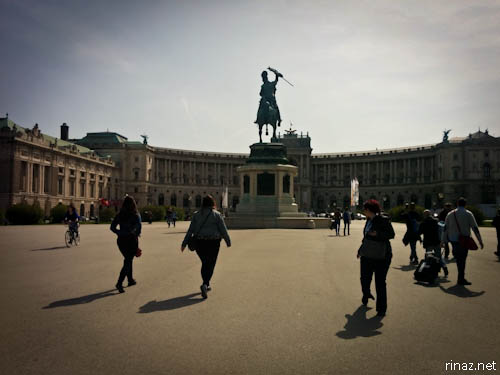

Here are a couple of pictures I took from mission day. As we had a flight back to Rome in the afternoon, I had to be a systematic tourist – no time to look at the monuments, just snapping pictures and look back on them when we’re back home.

A completely carbon zero taxi!

There are a lot of these in Vienna, I’d avoid them like I avoid those “Gladiators” in Rome.
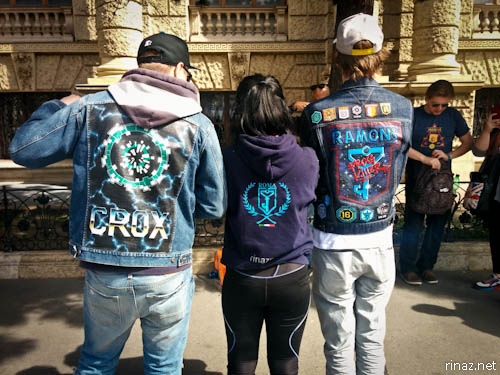
I met agents Crox and Ramon who were so friendly. I was admiring their jackets from behind and they ambushed me for a photo!

To end this post, here is a nice video of the event done by agent MadTiXx :
Oh gosh, how I miss Vienna! I want to go back again! I want to give a shoutout to my awesome Blueberry Pie team, to our patient Local Guide, and thank all the operators, dispatchers and organizers for this beautiful, amazing, unforgettable experience.

(Picture by AalyahAtredes)
And thank you Vienna! Auf Wiedersehen and hope to see you again soon!
If you liked this post, you might enjoy :
Cheap alternative of a GoPro strap
It’s been a while since I’ve used a point and shoot camera ever since I’ve accidentally damaged my old one. I was contemplating on getting a new one, but then inspired by the GoPro used by one of the crew during my trip to Viareggio, I remembered that I had a similar one that my brother bought for me a while back.
I thought of getting a head-strap or a chest strap but they both didn’t seem convenient. In the end, I went the DIY method of getting a broad strap and pinning them on my backpack with safety pins.
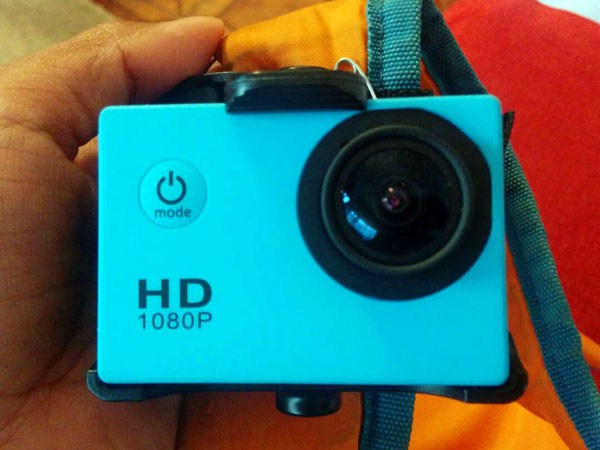
It’s quite low-tech but it seemed to work OK so far as long as I move smoothly. Here is a test shot.
While I do like the quality of the video shot on my camera, what I don’t like is that videos are captured in .mov format which my main video editor, Premiere Elements can’t edit.
This week I had to reformat my laptop as I was hit with nasty malware trying to find a suitable video editor. So stressful. X.X
Fighting for the Abaddon Anomaly in Milan
Last month, Cart and I were in Milan for the abaddon anomaly. It was such an unforgettable experience and Milan has been a wonderful host, that I’d love to visit again. I’ve already been to Milan some years back, but this time was different as I got to see Milan up a little bit up close and personal.

A couple of weeks leading to the event, we’ve been preparing for the anomaly, and also getting gear for ourselves. Since Milan is up North, many of our team members were concerned about how cold it was going to get. We got a couple of thermal shirts and I got for myself a heating pad and some wool socks. I can’t believe that I’ve never discovered wool socks before this. They are so comfy in the cold weather.
Friday afternoon, after an eventful day, rushing around, getting ready and last minute packing, we just managed to take the train. Phew! We sat down and finally relaxed. Taking the train is something that I enjoy as it’s tranquil to see the scenery outside of the window as the train runs. Plus, there was complementary WiFi! Making the 4 hour journey pass by quickly and in no time at all, we’ve already reached Milan!

We quickly checked in our hotel and then headed out to pick up our abaddon packs. One thing that I’d recommend for travellers to do, is to take the multi day transport pass as it’s a lot more convenient and much more cost effective to travel this way, instead of having to pull out 1.50 euro for each each trip.
It was at the subway where I noticed this :

I think it was the first time that I see a public place being sponsored by a corporation like Nissan and Premium Mediaset. Even while walking on the footpath towards the park to pick up our packs, I noticed “MTV” printed at each start. I can understand it, but I still find it quite bizarre nevertheless.

I love how bustling the atmosphere was, where we picked up our packs – seeing so many people raring to fight the next day, meeting old faces and making new friends. It was such a nice feeling. We were supposed to meet up at a pub afterwards and get to know other resistance agents, but the queue there was too long that in the end, many of us adjourned to a restaurant not too far away. Nevertheless, we were still quite a big group that we occupied pretty much an entire room!

It was here where I also got to meet a really friendly group of fellow resistance agents from France 🙂
The next day, we got up bright and early to meet up with our team members. All those concerns about Milan being extremely cold was all for naught in the end, as it turned out to be bearable.

We took the subway and slowly walked to Parco Sempione and waited for the event to officially start.
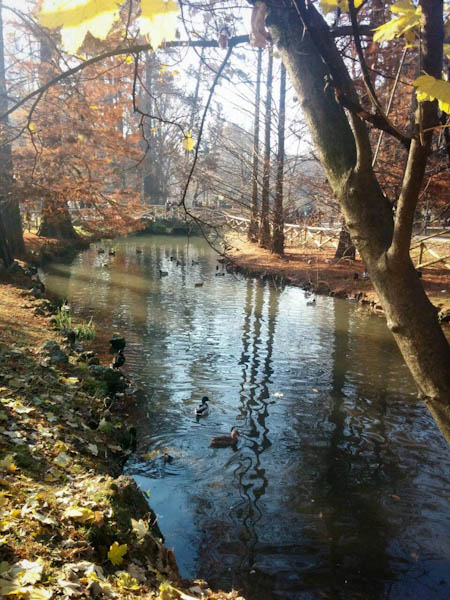
If you were wondering why I keep having earphones during the entire event, yours truly was the communications officer for my team – a role that I was curious enough to give a try.
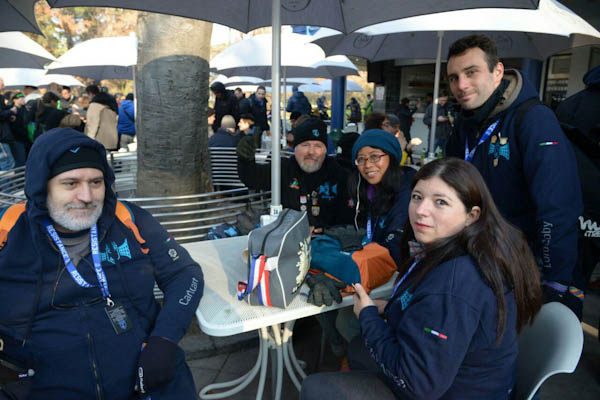
It’s all quite military like. Each team consists around 15 – 20 people, lead by the Team Leader who will oversee the group at the various check points. My role was being the facilitator between my team leader and the dispatch team and they are a sort of an operator, looking through the intel maps and strategizing. I had to listen to their commands and support my team leader at any changes.
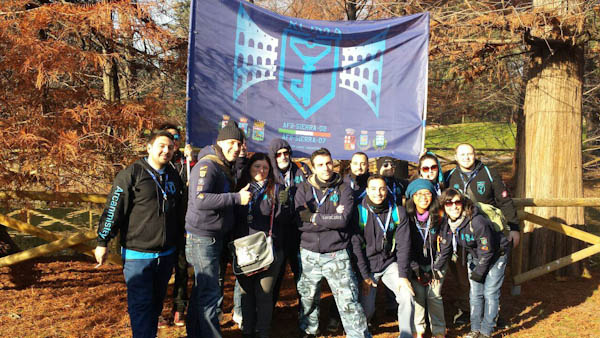
It wasn’t easy for me as my team leader likes to run a lot and each time when I get an update, I had to stop to listen amidst all the cacophony and by then, my team leader would be at least 500 meters away. Hahaha.
Keep in mind, that my backpack looks like I packed a big cube inside it, and you’ll find out later why.

Anyway, there isn’t much to say about the anomaly itself, that I haven’t said before in this post. But there was something very memorable that happened.

There was a point where my team was running off to the next cluster, and Cart, who was in my team, hurt his feet and had to walk slowly. My team was already a distance away and I didn’t want to lose them so I had to make the painful decision to leave Cart. But by this time unfortunately, I couldn’t find my team members, lost in the huge crowd.

I typed in the chat, “Where are you guys?”
“We’re at the 4th cluster, Via Brera”
So I typed it in Google Maps, hoping that it’ll help me bring me there speedily. I only had 15 minutes to go before the next check point and I was starting to panic. But for some reason, Google Maps got wonky and made me run to one corner of the duomo instead of going straight forward. But the strangest part was, after that, it made me run through Galleria Vittorio Emanuele II! A mall! And it was extremely crowded with Christmas coming up then. Why on earth did Google made me pass here?
I thought that it was extremely peculiar, and felt bad that I had to be rude and push some of the crowds of people in front of me. But it had to be done. I was in a huge competition.
At length, with only 5 minutes left, I managed to reach the final cluster and to my huge surprise, I saw Cart already there! I almost cried with relief, feeling awful that I’ve left him. Apparantly, he was better at reading maps, not trusting Google Maps this time round.

Anyway, at the end of the cluster, we felt really good at our efforts. I had a good feeling for this, the resistance managed to make a big area field over Milan, and I found out much later that a group of agents rented a helicopter and a boat to create good anchors.
Win or lose, I felt extremely proud of my team and I gave each of my team members something from my bag … A cake that I made earlier! And I have to say, that it was a really good cake. We all deserved it 🙂

We then slowly headed to the final location where the results were announced. And we found out that we won! I was extremely thrilled to find out and the feeling of enthralment continued for the next days. I was that happy!

All in all I had a really fantastic experience. In fact, Cart and I are considering going to the anomaly in April in Vienna! I am so looking forward to it. I’m sure it’ll be interesting to see 🙂

Pictures by : NCC1701R / Resistenza Roma
If you liked this post, you might enjoy :
Inkjet printer or Laserjet?
The printer recently had an error message and even after reading websites on how to fix it, and used quite an amount of kitchen roll, trying to clean it, it still didn’t work. I even went to the extent of buying new cartridges. It costs almost 40 euro and I was cheesed off to see the error message not going away. So I guess the printer was finally gone.
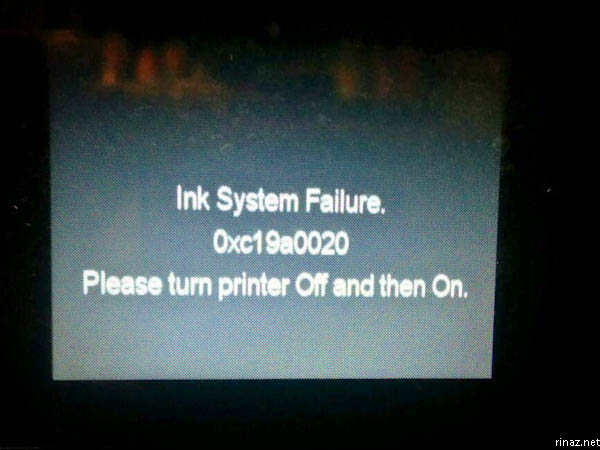
The funny thing is that, even if the ink function doesn’t work, why can’t the scanner function work too? That doesn’t make sense.
Still. Five years was a decent run. I wouldn’t even want to attempt to bring it in for servicing, because it’s notorious that the costs to fix it is more than the printer itself.
And thus, during the weekend, we headed to the various electronic stores in Rome – Trony, UniEuro, Mediaworld, Saturn. Cart is a very patient man to visit all these places while I just wanted to get it over with. Nevertheless, I saw this printer which was interesting :
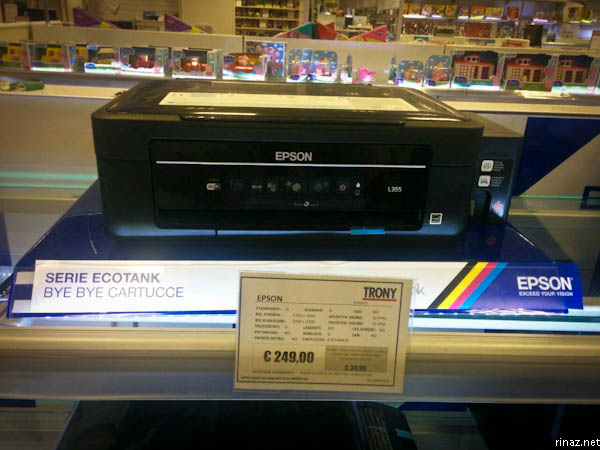
While it looks expensive at first, this particular printer uses an ink tank instead of cartridges. You can fill up the tank yourself when it runs dry. This makes sense to me as using the inks will be cheaper in the long run.

Then we looked at the laser-jet printer section, as Cart preferred one of those, as they had a reputation of lasting for a very long time. We wanted one with wifi, a scanner and maybe one with a SD card so that it could print or scan, to and fro the card. Which is a useful function.
Unfortunately for us, being the sale season and all the printer with the function that we wanted was sold out. I panicked because I use the printer often and needed it for my work – printing worksheets and craft ideas.

So in the end, I got this for myself. It had all the functions that I needed and it was only 50 euro. I’m not fussy. I’m just a little peeved that it costs just 10 euro more than the cartridge that I bought a couple a days earlier. I could have used the money for nice food.
The thing about laser-jets is that it’s more dependable. Cart really wanted one, but I’m justifying that the printer we just got should last about 2 or 3 years before it breaks, and by then technology will be better, we just might get the laser-jet printer that we want.
Spotted in Rome : Phone Charging Stations
While we were in Euroma2, I noticed a kiosk where you could charge your phone. The screen will indicate which slot was empty. You create your own pin to open them.

Inside you’ll find various cables for different kinds of phones. You connect them together, close the door and have a meal or continue shopping.

I recounted to Cart at how time ago, while I was living in Singapore at how I was able to go to a random handphone shop and ask them to charge the phone for me for a few cents.
Coming back to the kiosk, I thought that was a good idea, though I’m not sure how many would use it in reality as I think that too many would feel anxious when parted with their phones.
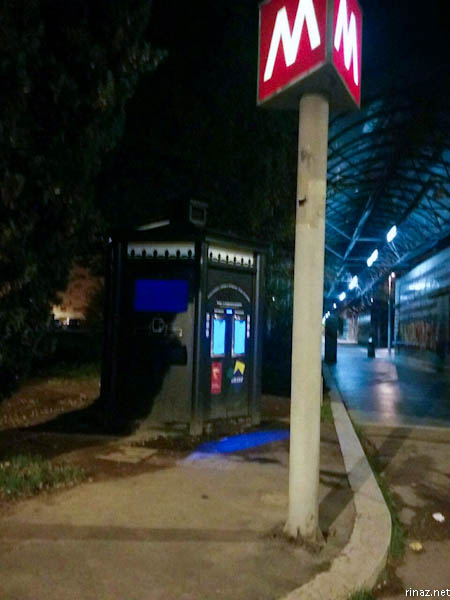
Speaking of phone charging stations, Cart and I stumbled upon this kiosk at the Cipro Metro station – this one was interesting to me as it also distributes water, similar to the one we saw in Aguillara.
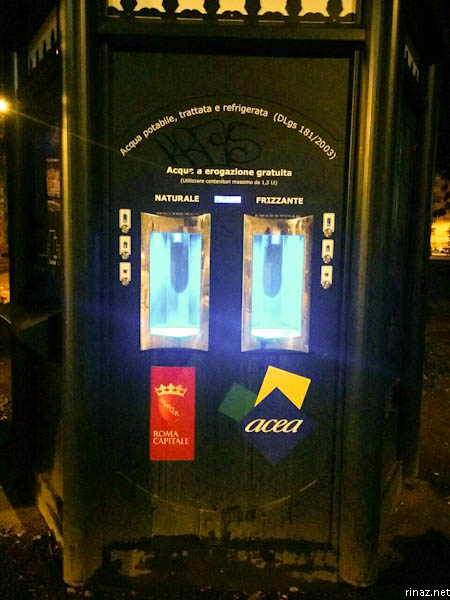
It distributes both naturale and frizzate for free though and I look forward to bringing my bottle to fill it up and give it a try.
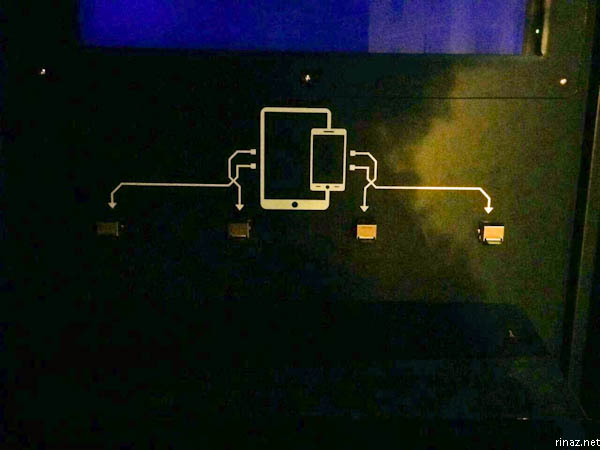
And on the other side, there is a charging station and you lift up the flap to connect your cable in.

You’d have to stay there the entire duration. But since the area is full of portals, I can just imagine that not many would complain as this would be the perfect place for playing ingress and farming!